
本文提供三种在hexo中插入图片的方式和两种插入音乐的方式。
插入图片
方案一
简介
![]()是markdown中常用的引用图片的格式,[]中是图片说明,()中写图片路径或者url。
案例

方案二
简介
1
| <img src='url或图片路径' height=400px'>
|
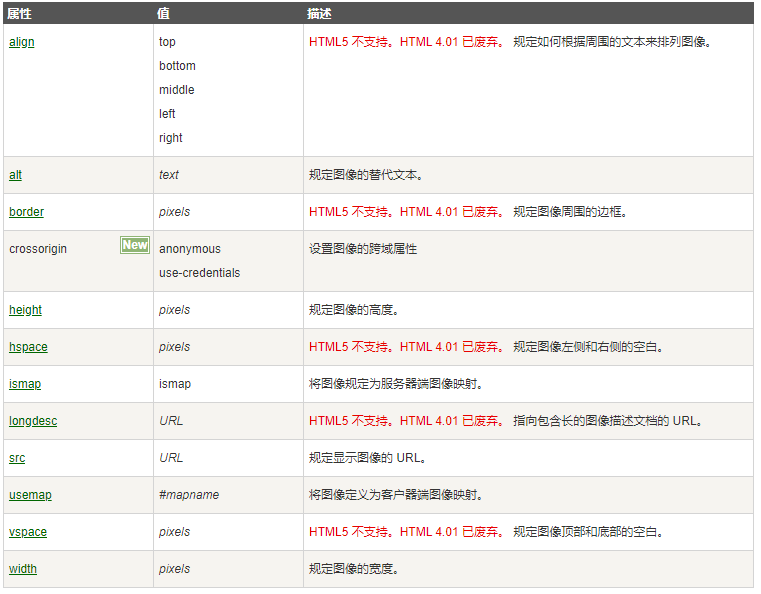
img标签定义 HTML 页面中的图像,img可修改的属性有
案例
1
| <img src='https://suncos-01-1254144885.cos.ap-shanghai.myqcloud.com/Hexo/S.png' height=400px >
|
方案三
简介
1
| {% asset_img 1.jpg 这是一个新的博客的图片的说明 %}
|
方案三需要现在hexo配置文件中将post_asset_folder打开,这样hexo新建博客的时候,会生成相同名称的文件夹,将图片放到文件夹中,可以通过其相对位置进行直接引用。
案例
1
| {% asset_img S.png 方案三 %}
|
插入音乐
方案一
简介
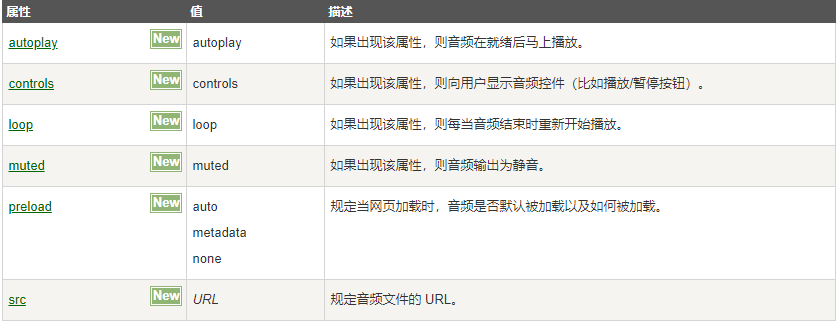
利用html中的audio 标签插入音乐。
1
2
3
| <audio autoplay>
<source src=" url 或 文件路径" type="audio/mpeg">
</audio>
|
audio标签定义声音,比如音乐或其他音频流。
案例
1
2
3
| <audio controls>
<source src="https://suncos-01-1254144885.cos.ap-shanghai.myqcloud.com/%E9%9F%B3%E4%B9%90/Hold%20back%20the%20river.mp3" type="audio/mpeg">
</audio>
|
优点:音乐可以自己选择,不受曲库限制
缺点:对音乐格式有要求,目前audio 元素支持的3种文件格式:MP3、Wav、Ogg
方案二
简介
利用网易云音乐生成外链播放器后分享。
现在网易云音乐官网找到自己想要的音乐,
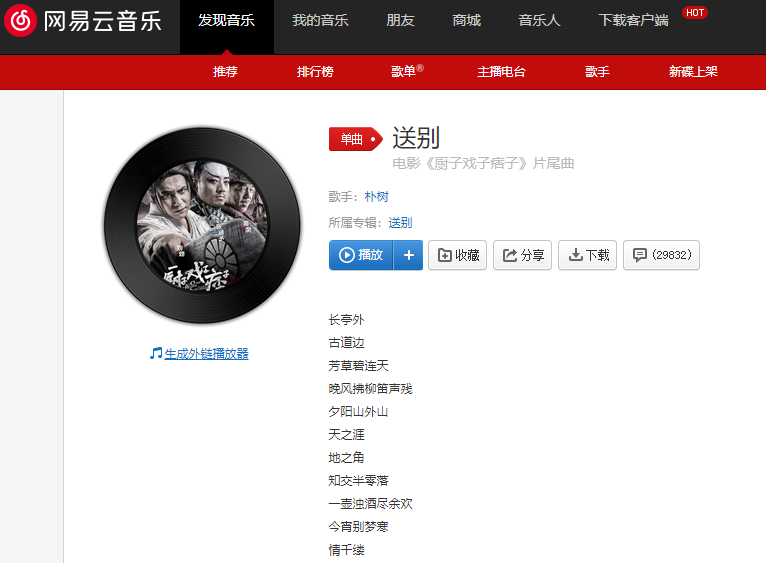
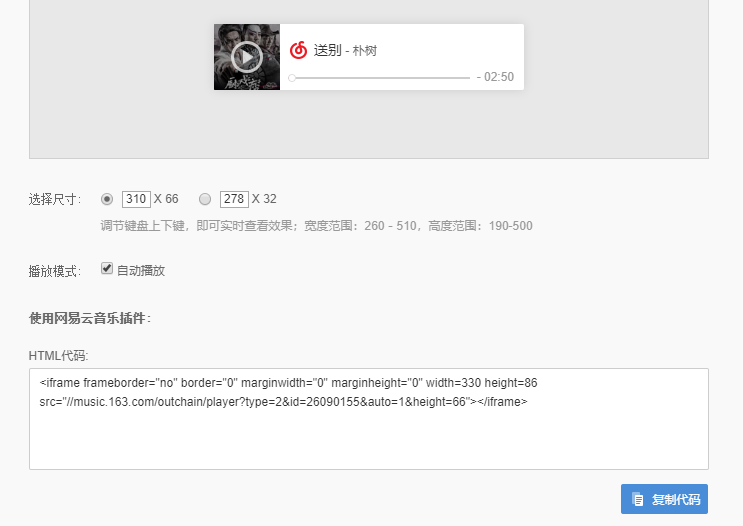
点击音乐下方的“生成外链播放器”,然后进入外链生成界面,复制最下方的HTML代码,拷贝到自己想放的地方即可。这里边框的大小可以自由调节。
案例
1
| <iframe frameborder="no" border="0" marginwidth="0" marginheight="0" width=330 height=86 src="//music.163.com/outchain/player?type=2&id=26090155&auto=0&height=66"></iframe>
|
优点:网易云直接播放,不用自己存储调用
缺点:很多音乐有版权保护,无法生成外链